 EN
EN ES
ES PH
PH BR
BR RO
RO CN
CN RU
RU LT
LT
Download
or


Important Notice:
We are currently using Season 6, Episode 3, the classic version of MuOnline. This version may be detected by Windows Security or some antivirus programs..
Our files are free from malicious content. If the client is blocked or deleted, add the entire Mu EZIO 250x folder to exclusions in both your antivirus and Windows Security.
Microsoft guide: add an exclusion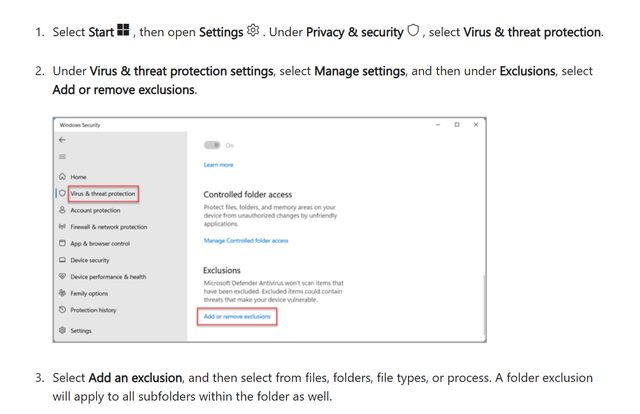
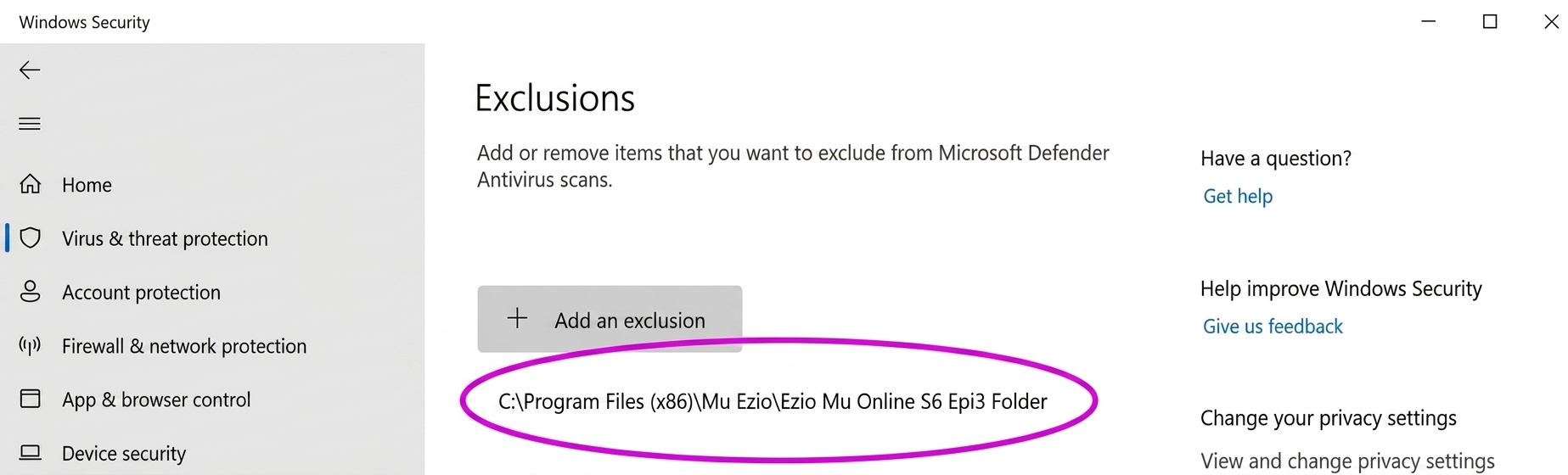
Install Guide
1
Download
Click Installer or Portable above. Download from any mirror (Mega, Google Drive, MediaFire).
2
Install or Extract
Installer: run setup and finish.
Portable: extract to a simple folder like C:\Games\MuEZIO250x.
Portable: extract to a simple folder like C:\Games\MuEZIO250x.
3
Launch
Run Play Mu EZIO 250x. If it does not start, install the drivers below and add exclusions if Windows blocks the files.
Required Game Drivers



Have corrupted fonts in-game?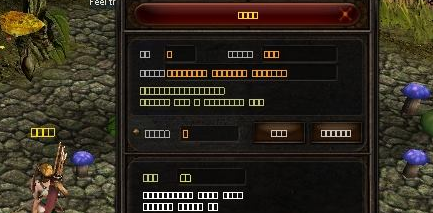
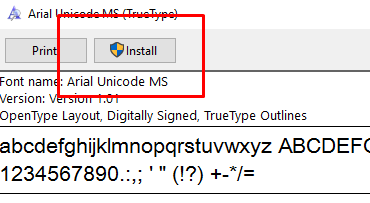
If you see squares in the game instead of text, then you are missing windows font called Arial Unicode MS.
It’s a common error in all new mu online clients so make sure to use our full game installer or follow the easy steps listed below.
Fix Guide
1. Close game client
2. Download the missing ARIALUNI.TTF font from Square Font Guide
3. Right click on the file you just downloaded and click Install
4. Alternatively you may download the missing font and copy it to C:/Windows/Fonts or Control Panel > Fonts
5. Start game client


